
 editer@kidkosh.in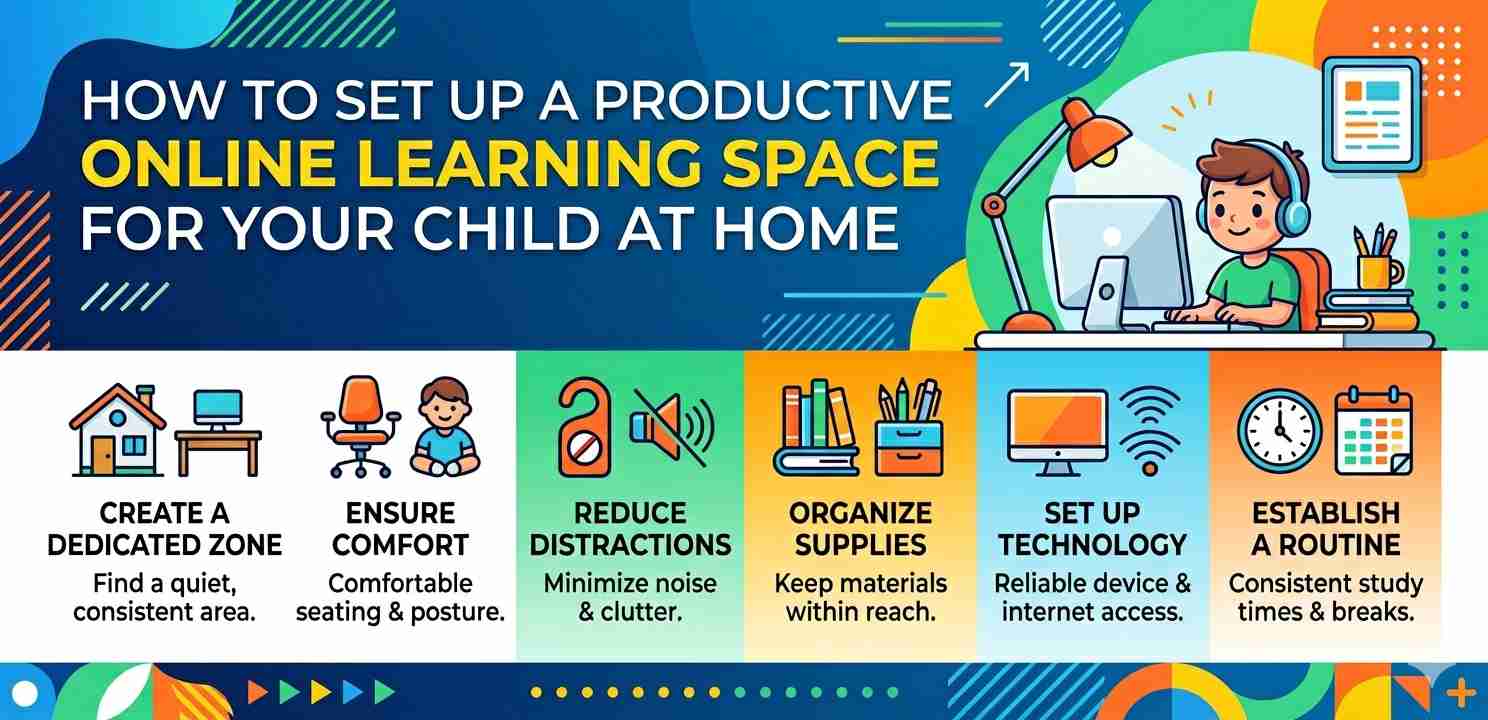
Setting up a proper online learning space for your child at home is one of the most practical things you can do as a parent today. Whether your kid attends virtual classes, does homework digitally, or follows an e-learning program, the environment they study in makes a real difference in how well they focus and retain information. This guide walks you through everything — from picking the right corner in your house to setting up the right devices and routines.
Why the Physical Setup Matters More Than You Think
Most parents focus a lot on apps, platforms, and internet speed — which are important — but the actual physical space often gets ignored. A child trying to learn from a couch, with a TV playing nearby and siblings running around, is going to struggle. That’s just reality.
When kids have a consistent, dedicated online learning space, they tend to settle into “learning mode” faster. It becomes a signal to their brain: this is where we focus. Think of it like how most adults work better at a desk than from bed.
It doesn’t need to be a whole room. Even a small corner with the right setup can work really well.
Step 1: Choose the Right Spot in Your Home
Start by looking around your home for a space that is:
- Away from the TV and high-traffic areas
- Reasonably quiet for most of the day
- Has natural light, or at least decent lighting
- Not too isolated (younger kids especially need to feel nearby)
A study table near a window in the bedroom is often ideal. If that’s not possible, a corner in the living room with a small divider or bookshelf can create enough separation.
Avoid setting up your child’s online learning space in the kitchen or near the main entrance — those areas get too much foot traffic and noise.
Step 2: Get the Right Furniture for Their Age
This sounds basic, but so many families skip it. A chair and table that don’t fit the child’s body cause discomfort, and discomfort leads to fidgeting and distraction.
For younger children (ages 5–10), look for:
- A table that sits at elbow height when they’re seated
- A chair with back support, not just a stool
- Enough surface space to keep a notebook and a device at the same time
For older kids and teens, a standard study desk works fine. The chair should have lumbar support if they’re sitting for 2–3 hours at a stretch.
This physical comfort is a quiet but powerful part of any functional online learning space for your child.
Step 3: Sort Out the Device and Internet Setup
Now for the technical side. The device your child uses should be reliable and fast enough to handle video calls without lagging. Older, slow laptops make online classes frustrating and kill focus.
Device checklist:
- At least 4GB RAM for smooth video streaming
- A working camera and microphone (built-in or external)
- Updated browser or app for the learning platform they use
- Headphones with a mic — this reduces background noise significantly
For internet, a stable connection matters more than raw speed. If your home Wi-Fi drops frequently, try moving the router closer or using a wired Ethernet connection for their device during class hours. A lot of learning disruptions happen just because of patchy internet — not the child’s attention.
Reducing Distractions in the Online Learning Space for Your Child
Distractions are the biggest enemy of productive home learning. Unlike a classroom with a teacher managing the room, your child is on their own at home. So the environment has to do a lot of that work.
Remove or Limit Visual Clutter
A desk full of toys, snacks, random stuff — it’s all pulling attention away. Keep the study surface clean. Have a small drawer or box nearby for things that need to be off the desk during study time.
Manage Household Noise
This is tough in busy homes, but there are practical ways around it. Good over-ear headphones do a lot. You can also plan learning sessions during quieter parts of the day — early morning or after younger siblings’ nap time.
Some parents use a simple signal system: when the child is in their online learning space and the door (or divider) is closed, it means “don’t disturb.” Older kids can manage this on their own; younger ones need the family to cooperate.
Screen Distraction on the Device Itself
This is a big one. Kids are one click away from YouTube or games. A few things that help:
- Use a separate browser profile for school/learning
- Enable parental controls or focus modes on the device
- On Android phones and tablets, the Digital Wellbeing feature lets you set app timers so apps like YouTube pause after a set time
Step 4: Organize the Digital Tools and Resources
Once the physical setup is done, look at the digital side. A good online learning space for your child also means having their digital stuff organized — not just their physical desk.
Create a simple folder structure on the device. Something like:
- School → Math, English, Science
- Books & PDFs
- Assignments
Encourage them to save work consistently and not leave everything on the desktop. This small habit saves a lot of time and stress later.
If they use cloud storage like Google Drive, set that up early and teach them how to use it. Many schools now share materials through Drive or similar platforms, and knowing how to navigate it gives kids an edge.
Step 5: Set a Routine That Works With the Space
A dedicated space without a routine is only half the solution. The online learning space for your child becomes most effective when paired with a consistent schedule.
This doesn’t mean a rigid timetable that causes stress. It means roughly the same start time each day, the same end time, and predictable breaks. Kids — especially primary school age — thrive on predictability.
A simple daily structure could look like:
- 9:00 AM – Start learning (device on, space ready)
- 10:30 AM – Short break (10–15 minutes, away from screen)
- 10:45 AM – Back to learning
- 12:00 PM – Lunch and longer break
- 2:00 PM – Review or lighter tasks
The physical act of sitting down in their designated online learning space at a set time helps the brain shift into focus mode — it’s a bit like Pavlov’s bell, if you’ll excuse the comparison.
Step 6: Lighting and Ergonomics — Don’t Skip These
Bad lighting causes eye strain, which leads to headaches and tiredness — and then the child complains that “studying makes their head hurt.” It’s not the studying, it’s the setup.
Natural light is best, positioned to the side of the screen (not directly behind or in front). If that’s not possible, use a warm-white LED desk lamp. Avoid harsh overhead fluorescent lighting if you can.
For screen ergonomics:
- The top of the screen should be at or just below eye level
- Screen distance should be roughly arm’s length (about 50–70 cm)
- Encourage blinking and short eye-rest breaks every 20 minutes (the “20-20-20 rule” — every 20 minutes, look at something 20 feet away for 20 seconds)
These small details make the online learning space for your child genuinely comfortable for long sessions.
Step 7: Involve Your Child in the Setup Process
This is something that gets overlooked, but it matters. When kids help set up their own learning space, they feel ownership over it. They’re more likely to use it properly and keep it tidy.
Let them choose some small things — the color of their pencil holder, which motivational poster goes on the wall, where to put their stationery. It sounds minor, but it builds buy-in.
For older kids, sit with them and ask: What makes it hard for you to focus during online classes? Their answer will often point directly to what needs fixing in the space or the routine.
Managing Screen Time in the Online Learning Space for Your Child
When your child is learning online, they’re already on a screen for hours. Adding more screen time through games or social media right after can lead to overstimulation and poor sleep — especially for younger kids.
Try to build screen-free activities into the breaks — a quick walk, a snack, drawing, or even just lying down quietly. This gives the brain a chance to rest between learning sessions.
On Android devices, the Digital Wellbeing dashboard is genuinely useful for this. You can see exactly how much time is being spent on different apps and set limits where needed. It’s not about spying — it’s about helping kids build awareness of their own screen habits.
Final Conclusion
Building a proper online learning space for your child at home doesn’t require a huge budget or a dedicated room. What it really takes is thoughtfulness — choosing the right spot, setting up comfortable furniture, managing distractions, organizing digital tools, and pairing it all with a consistent routine.
The investment is worth it. A child who has a calm, organized, comfortable space to learn from home is going to experience less frustration, better focus, and more confidence in their learning. And for parents, it means fewer battles over “why aren’t you paying attention.”
Start small if needed — even one or two changes from this guide can make a noticeable difference. Build it up gradually as you see what works for your child specifically.
For more ideas on supporting learning at home, you might find resources from Common Sense Media and Understood.org helpful — both are practical, parent-focused, and well-researched.