 editer@kidkosh.in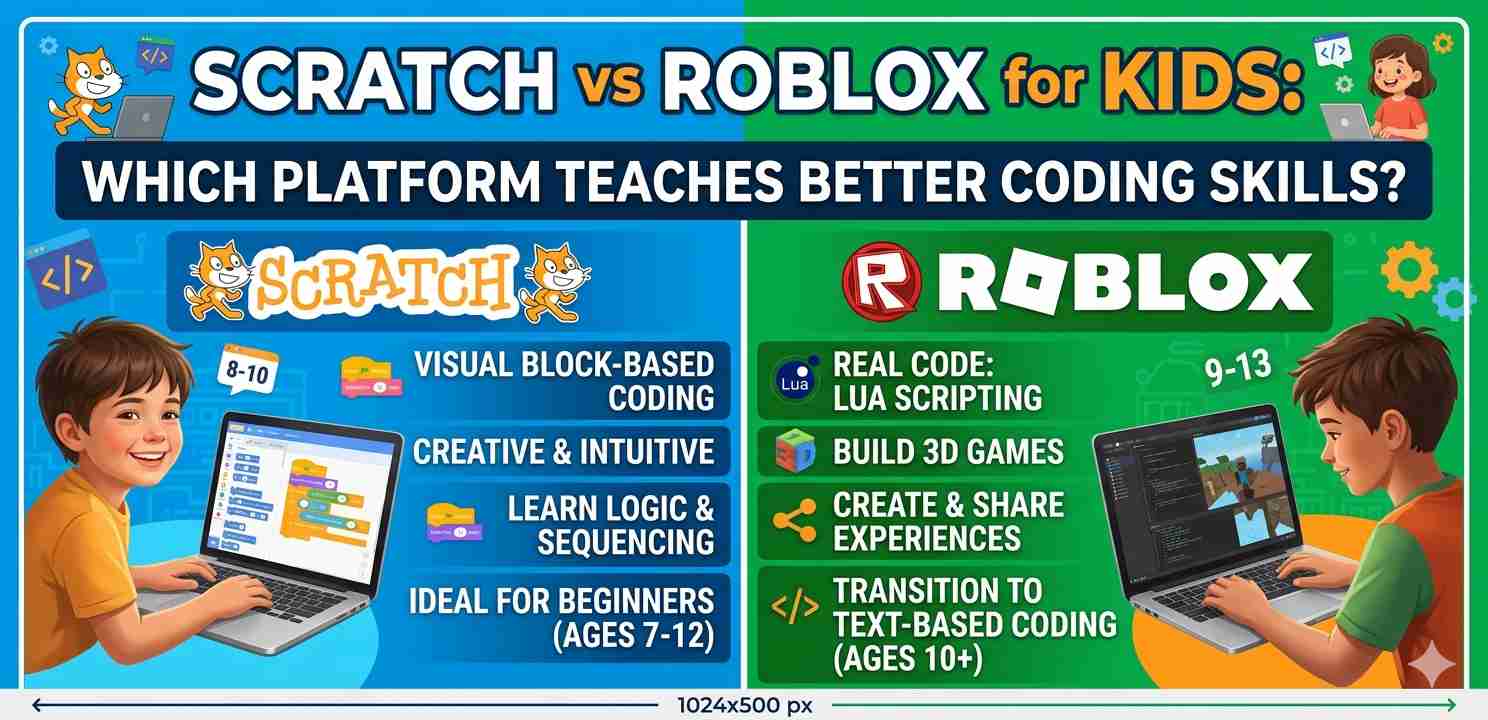
When parents ask me what coding tool their child should start with, the first real debate always comes up: Scratch vs Roblox for kids — which one actually teaches something useful? Both platforms are popular, both involve some form of “building things,” and both kids genuinely enjoy. But they work very differently under the hood, and the coding skills they develop aren’t quite the same.
I’ve watched kids learn on both platforms — my nephew started with Scratch at age seven and switched to Roblox at ten. The difference in what he understood about programming was pretty visible. So let me walk you through this honestly, not as a product review, but as a comparison that actually helps you decide.
What Is Scratch, and Why Do Schools Love It?
Scratch is a free visual programming platform developed by MIT. Kids drag and drop colorful blocks to make characters move, tell stories, create animations, and build simple games. There’s no typing of actual code — everything is block-based.
The reason schools love it is simple: it removes the barrier of syntax. A nine-year-old doesn’t need to remember how to write if statements perfectly. They just snap the right block into place.
Scratch teaches real programming logic — loops, conditionals, variables, event handling — in a way that’s genuinely approachable. A child working on a Scratch project is thinking like a programmer, even if the code looks like colored puzzle pieces.
It’s also completely browser-based. No downloads, no setup, no account required just to explore. Parents who are cautious about screen time and online safety generally find Scratch less worrying than other platforms.
What Is Roblox, and What Does It Actually Involve?
Roblox is a massive online gaming platform where players can also build their own games using Roblox Studio. The building side uses a real programming language called Lua — which is an actual text-based coding language used professionally in game development and embedded systems.
When kids move from playing Roblox to building in Roblox Studio, they’re doing something genuinely different. They’re writing code in a text editor, dealing with real errors, and learning how game engines work at a more technical level.
The motivation here is strong. Kids want to build games their friends will actually play. That desire pushes them to learn faster than they might in a classroom setting.
But there’s a distinction worth making: most kids who use Roblox are players, not builders. Just because a child loves playing Roblox games does not mean they’re learning to code. The coding happens in Roblox Studio — and that part requires some intentional effort to get into.
Scratch vs Roblox for Kids: Age and Readiness Matter
When thinking about Scratch vs Roblox for kids, age is probably the biggest factor.
Scratch is genuinely suitable for children as young as five or six with some guidance, and works very well independently from around age seven or eight. The interface is visual, the feedback is immediate, and a child can go from zero to a working project within an hour.
Roblox Studio, on the other hand, is better suited for kids who are ten or older — especially if they’re going to actually write Lua code. Younger kids can still explore the 3D building tools, but the scripting part becomes much more rewarding once a child can read comfortably and handle some frustration.
If your child is under nine, Scratch is almost certainly the better starting point. If they’re eleven or twelve and already comfortable with technology, Roblox Studio might hook them in a way that Scratch can’t anymore.
Which Platform Teaches Deeper Coding Concepts?
This is where the Scratch vs Roblox for kids debate gets genuinely interesting.
What Scratch Teaches Well
Scratch does an excellent job with foundational programming thinking:
- Sequence and order of instructions
- Loops (repeat blocks, forever blocks)
- Conditionals (if/else)
- Variables and simple data
- Events and triggers
- Basic parallelism (multiple sprites acting at once)
These are real concepts. A child who has spent six months building things in Scratch actually understands how programs work at a structural level. This makes the transition to text-based coding much smoother.
Many professional developers started with Scratch. It’s not a “baby” tool — it’s a gateway that works.
What Roblox Studio Teaches Well
Roblox Studio, specifically through Lua scripting, builds on those concepts and adds:
- Text-based syntax (the kind you’d find in Python, JavaScript, etc.)
- Functions and reusable code blocks
- Object-oriented thinking (game objects, properties, methods)
- Debugging — finding and fixing real errors in code
- Larger project structure across multiple scripts
The learning curve is steeper, but the ceiling is much higher. A teenager who’s spent a year seriously building in Roblox Studio can pick up Python or JavaScript in a few weeks because the core mental models are already there.
Safety and Parental Control: A Real Consideration
For younger kids especially, safety is part of the platform decision — and Scratch vs Roblox for kids looks quite different here.
Scratch has a community section where kids can share projects, but the moderation is reasonably tight and the interaction model is simple (comments, remixes, follows). It’s not a chat platform. Parents of younger children tend to feel comfortable with it.
Roblox is a much more social platform. There’s in-game chat, friend requests, and real-time multiplayer across thousands of player-created games. Roblox does have parental controls and account restrictions, and they’ve improved over the years. But it requires more active parental involvement — setting up the account properly, enabling restrictions, and talking to kids about online safety.
Neither platform is dangerous by design, but the supervision needs are genuinely different.
Motivation and Engagement: Which Keeps Kids Learning?
Here’s something that doesn’t get said enough in the Scratch vs Roblox for kids conversation: the best platform is the one your child will actually stick with.
Scratch projects often feel personal. Kids make games about their pets, animations about their favourite characters, stories from their imagination. The creative control is very free, and there’s no pressure to make something “good” by someone else’s standard.
Roblox Studio motivation comes from a different place — kids want to build something other players will enjoy. That social element is powerful. But it also means that if the scripting gets hard and progress stalls, some kids give up faster because the goal felt distant.
A good approach I’ve seen work well: start with Scratch, build confidence with programming thinking, then transition to Roblox Studio when curiosity about “real” game development kicks in naturally. The two aren’t really competitors — they work well as a sequence.
Scratch vs Roblox for Kids: Learning Resources and Community Support
Both platforms have strong communities, but the type of learning resources available is different.
Scratch has excellent built-in tutorials, a well-organized project gallery, and a global community of young creators sharing their work. MIT also provides curriculum materials for teachers and parents. It’s set up to be educational from the ground up.
Roblox Studio has a huge library of documentation and official learning paths through Roblox Education. There are also thousands of YouTube tutorials, community forums, and even structured bootcamps specifically for Roblox game development.
For self-directed learners who like video tutorials, Roblox probably has more options. For structured, guided learning — especially in schools — Scratch has better integrated support.
If you’re looking to understand broader coding education pathways for children, Code.org offers a useful overview of progression from block coding to text-based programming that complements both platforms.
Cost and Accessibility
Scratch is completely free — no premium version, no in-app purchases, no subscriptions. It runs in any browser on a computer, tablet, or even a lower-spec device. For families on a budget or schools in under-resourced areas, this matters.
Roblox (the game platform) is also free to download and play. Roblox Studio is free as well. However, the broader Roblox ecosystem includes in-game currency (Robux) and purchases, which means parental controls on spending are worth setting up from day one.
Neither platform requires expensive hardware, which is genuinely good news for most families.
Final Conclusion
When you look at Scratch vs Roblox for kids side by side, there isn’t one correct answer — but there is usually a better starting point based on your child’s age, goals, and where they are in their learning journey.
Scratch is the stronger foundation. It teaches real programming logic in a safe, accessible, creativity-first environment. For most kids under ten, it’s the clearest path to actually understanding how code works.
Roblox Studio goes further. Once a child is ready for text-based code, the motivation of building playable games for real friends creates a learning drive that’s hard to replicate. It bridges the gap between “learning to code” and “actually building something.”
The most practical path? Start with Scratch, build that foundation, and let curiosity about Roblox Studio grow naturally. Many kids make that transition on their own — and when they do, the Scratch background makes everything click faster.
Related internal reading: if you’re exploring coding tools beyond these two, you might also look at how block coding compares to Python for young learners, or how game-based learning fits into broader STEM education at home.